AI travel planning has moved quickly from novelty to normal research tool. It is useful when you want destination ideas, a first version of a day plan, a list of neighbourhoods to compare, or a quick explanation of what a city is known for. That is a good thing. The weaker part is what happens after the idea becomes a real trip.
A suggested itinerary is not the same as a usable itinerary. Once flights, hotels, transfers, travel documents and group decisions are involved, the plan needs more structure than a chat response can usually provide on its own.
AI is strongest at the inspiration stage
The best use of AI in travel planning is often near the start. You can ask for a relaxed three-day plan in Lisbon, compare beach towns in Costa Rica, or find activity ideas that fit a food-focused weekend. It can help you get unstuck and avoid starting with a blank page.
That works because inspiration is flexible. If one restaurant is closed or one attraction is too far away, the idea can be replaced. The cost of being slightly wrong is usually low while you are still exploring options.
The gap appears after you book
Once you book, the trip changes from a set of possibilities into a sequence of commitments. You now need to know what happens first, what depends on what, and where the important information lives. This is where many AI-generated plans become too light.
A realistic itinerary needs to hold the details that affect the trip on the day. That includes flight numbers, airports, hotel names, check-in times, addresses, transfer notes, booking references, documents, activity reservations and the running order of each travel day.
What a proper itinerary still needs
A good itinerary does not have to be complicated, but it does need to be reliable. Before you travel, check that your plan includes:
- Booked flights and timings: airport, terminal, flight number, date, departure time and arrival time.
- Stays and addresses: hotel or accommodation details, check-in information and local contact details.
- Connections and transfers: how you get from airport to stay, stay to activity, or one transport leg to the next.
- Documents: passports, visas, entry requirements, booking confirmations, tickets and insurance details.
- Activity plans: what is booked, what is optional, what needs a time slot and what can move if plans change.
- Shared access: a way for fellow travellers to see the same current plan instead of relying on scattered messages.
Where AI fits inside a real trip plan
AI is still useful after booking, but it works best as one layer inside a more organised planning process. Use it to suggest activities, explain areas, compare options, or generate a rough day plan. Then move the useful parts into the actual itinerary so they sit beside the booked details.
That distinction matters. A chat thread can help you decide what might be worth doing. Your itinerary should tell you what you are actually doing, when you are doing it, where it is, and what documents or bookings support it.
A simple AI-to-itinerary workflow
If you are using AI to plan travel in 2026, a practical workflow looks like this:
- Ask AI for broad ideas, neighbourhoods, activity options or a first pass at a day-by-day structure.
- Check the suggestions against current opening times, distances, booking availability and official travel advice.
- Book the flights, accommodation and activities that are genuinely fixed.
- Put the confirmed details into one itinerary rather than leaving them across emails, screenshots and chat messages.
- Add flexible activity ideas around the booked structure so the plan can adapt without becoming messy.
- Share the finished trip plan with fellow travellers before you travel.
Why this matters for group trips
Group travel makes the gap even more obvious. One person may have the flight confirmation, someone else may have the hotel email, and another traveller may be working from an old version of the plan. AI can suggest a good day out, but it cannot help much if nobody knows which version of the itinerary is current.
A shared itinerary gives everyone the same reference point. It also makes changes easier because the trip structure stays visible: what changed, what it affects, and what still needs a decision.
Use AI for ideas, then organise the trip properly
AI travel planning is useful, and it will keep improving. But for most travellers, the practical value comes from combining AI inspiration with a proper itinerary. Let AI help you discover options. Then organise the confirmed trip so your flights, stays, documents, maps and activity plans are all connected.
That is the difference between a travel idea and a travel plan. One helps you imagine the trip. The other helps you take it.
Sources checked
Turn travel ideas into a real itinerary with aviaroute
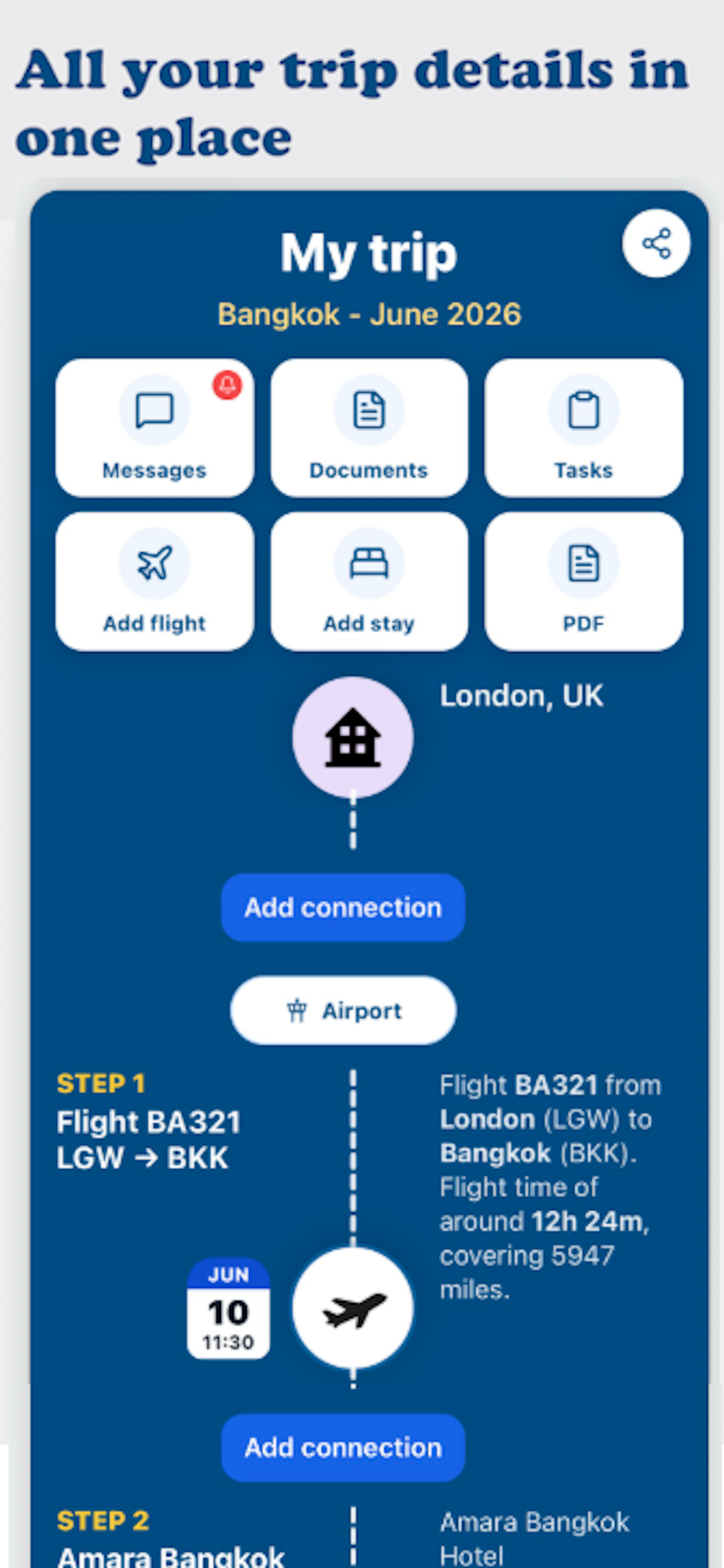
Use aviaroute to organise the trip after the inspiration stage. Upload itinerary PDFs or screenshots, keep flights and stays in one timeline, store documents, add activities, and share the plan with fellow travellers.
Plan your trip with aviaroute